About propagation, you will learn a lot with this article written by Ian G3YWX published in an ARRL QST magazine. Enjoy your reading.
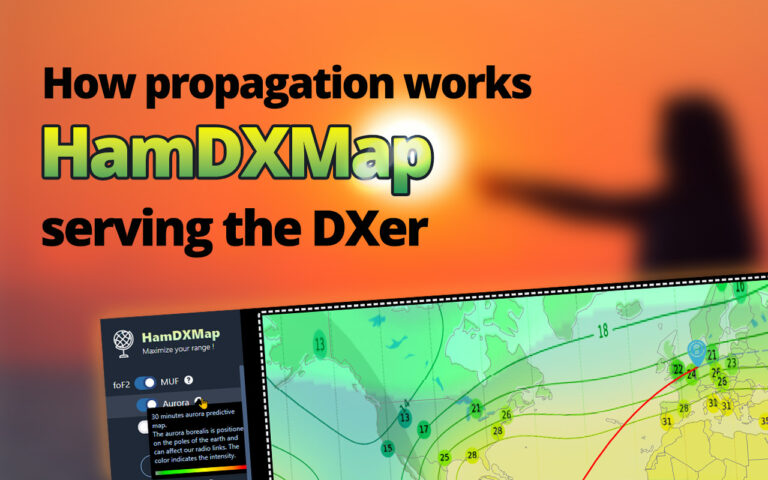

Here HamDXMap features over time
I can't imagine a better way to produce useful code for the amateur radio community. HamDXMap will continue to evolve again, because I have a lot of fabulous ideas and you even propose a lot of them. I work hard to provide improvements and new features. Below you will find all the main advancements.
Christian F5UII • 2023-04-17
Release Timeline
Historic of the HamDXMap application's features with help and support links.
15 November 2025
Release #7 - 4 features, 1 improvement
- The DXCC entities Most Wanted rankings (in all three categories: voice, telegraphy, and digital) are now shown in pop-ups that appear when entering a call sign in the main panel, as well as in the DXpeditions list.
- You are now able to import contest logs in standard ADIF format. Import it by selecting the file or by dragging and dropping it (Left Menu, in Log Analysis section). All QSOs will be displayed on the map after a delay. You can find details of the QSOs by hovering over the points.
- You can easily change the colour and size of the lines and points.
- When you move the TX marker, the curves are redrawn (the distances shown in the contact properties popup are not updated in this case).
- The bar graph shows the number of QSOs per hour. Hover your mouse over it to see the QSOs for a specific hour.
- You can replay your entire contest by simply clicking on the Play button. A ticking sound is heard with each contact (you can disable this feature).
- You can adjust the playback speed of your contacts using the speed slider (from 1x to 100x).
- There is no memory of your ADIF file; the server deletes the files after use.
- Please remember that you can generate a PDF of this result (PDF print button at the top of the main menu).
-
A layer representing the IOTA (Islands on the Air) group of islands from the RSGB programme can be displayed using the switch in the main menu.

- When you move your mouse over the areas, a pop-up window displays the precise definition of the island group, as well as the percentage of stations that have already confirmed contact with that island group. In addition, the status indicates whether or not an activation requires evidence to be provided to the RSGB in order to be recognised.
-
Display of live frequency information reported by Win-Test (Radio 1 and Radio 2) on a specific tab of the main panel and insertion of a horizontal bar on the MUF/foF2 response curves.

- To benefit from this feature, you need to use Wintest and the Gateway software as presented on this help page.
- The times displayed in the pop-up windows (when clicking on a DXCC country or entering a call sign in the main panel) are now local and account for Daylight Saving Time (DST).


Thanks a lot to ClubLog for the DXCC Ranking source.


12 January 2025
Release #6 - 3 features, 2 improvements
- In complement of the Short Path and Long Path realtime graphics, the VOACAP 24-hour propagation predictions are added on the SP and LP tabs (on right bottom panel).
- Setup the station type in the General settings menu, as a normal 100 W station or a more super one.
- Monthly smoothed sunspot numbers taken into account, but not Daily sunspot numbers, not A, K indices.
- For display it, use the right arrow. Come back to Realtime path with the left arrow.
- The previous release had integrated DXpeditions represented by dots on the map, where the details were displayed in popups to make them easier to read. Now, a DXpeditions window can be called up via the DX button in the main menu.
- To display the list of shipments, click on the DX button in the main menu.
- You'll find a timeline that lets you see at a glance how long each DXpedition is expected to last.
- The list is updated daily, includes DXpeditions in operation and upcoming in max 45 days
-
Real-time weather information display on DXCC country and RX/TX position popups, including temperature, weather conditions, wind, and pressure for better geographic context.

-
Following Falk's suggestion (thanks for the feedback), the minimum bounce altitude has been reduced from 200 to 50km.
To make them easier to read, the circles symbolising bounces are now coloured red. Also, the update of the representation of the bounces on the map is displayed immediately with the change of one of the parameters.
A quick reminder... Be cautious not to misinterpret this 2-dimensional representation : Contacts are still possible outside the represented bounce circles!

-
For greater clarity, the practicable bandwidth displayed at the top of the SP and LP tabs is supplemented by the MHz unit.


Thanks a lot to VOACAP authors Jari Perkiömäki OH6BG, James Watson HZ1JW, and Juho Juopperi OH8GLV !

7 January 2024
Release #5 - 4 features
- A layer is added with more then 1100 online SDR receivers. The list of this Software Defined Radio is updated daily. The receivers are generously made available by the three receiver networks. We sincerely thank them for their management and contributions to the community. Thanks also to each enthusiast who makes access to their radio reception station available via the internet. :
- WebSDR
- KiwiSDR
- OpenWebRX
-
The map now shows current and future DXpeditions planned over the next 45 days. Using the left-hand DX menu, the user can choose either to display all DXpeditions, or only those currently in progress. The colour of the circles on the map depends on the start date of the operation. The lighter the circle, the closer the expedition is to going live.
Clicking on one of the dots opens a pop-up window giving details of the expedition.
We would like to thank all the suppliers of DX information who are mentioned in the pop-up below.
- The Daily DX
- DX 425 News
- DX World
- Les Nouvelles DX
- OPDX
- Announced DX Operations by NG3K
- The main panel in the bottom right-hand corner can now be hidden. A double arrow to the left of the panel allows you to temporarily hide it. Temporary masking can be particularly useful when using HamDXMap with your smartphone.
Simply click on the double arrows to move the panel.

- For even easier use, you will be able to find your 🌎HamDXMap application on your system, just like other software programs. This can be achieved easily with just two clicks.
Indeed, HamDXMap can now be installed as an application on various environments (smartphones and computers). Desktop installation is currently possible via Google Chrome and Microsoft Edge on Linux, Windows, macOS, and Chromebook. For these browsers, an "Install app" button is displayed in the bottom menu.
If you don't see this button, either the application is already installed, or your system is not compatible.

Simply click on the points to display a popup, providing access to information and the link to the online receiver's website.
You can place specific stations in favorites by clicking on the ❤️, in the popup. The map display can be pared down to show only your favorites (selected using the SDR selector in the main menu).

Many thanks to NG3K for the detailed list published on its site.

19 Jun 2023
Release #4 - 3 features, 5 improvements
- The Log of the World users and eQSL users are identified on the popup (when keying the callsign).
- A new page giving the quality of HF propagation, with a recent history of the SFI, A and K indices.
- Connectivity with Win-Test logging software is now operational for Windows users : The wtSock gateway (local executable addon) pushes data (Live keying, logged callsigns, DX Cluster spots and also chat - gab messages) in realtime to HamDXMap. Full information on the specific documentation.
- The DX Cluster spots and also the logged callsigns are plotted on the map and stored localy by the browser can be filtered by band or source (DXCluster, QSO).
- The DX Cluster (when working with Win-Test) can sound an alert bell for all new spots (taking account of the filter configured). A mute/unmute button is available.
- When you fly over the circles (the white borders are the cluster spots, and the red borders are the logged contacts), a popup is displayed to display the detailed information
- When a user send a gab message over Win-Test network, this chat message will be displayed also at top right hand in HamDXMap.
- Improved application behaviour on window resizing. The page is no longer reloaded entirely.
- The SP & LP curves are improved (particularly for very low frequencies).– Thanks to Larry F6FVY for help
- Tooltips over Direction in stations panel added.
- All modal windows can now be closed by pressing Esc key or clicking outside the open window.
- Following the end of free access to the previous platform (frill), feedbacks had to be migrated to a Canny new platform.


28 April 2023
Release #3 - 6 features, 4 improvements
- The Long path (LP) is now added and connects the two markers opposite the shortest path (SP). It is designed in dotted lines on the map – Thanks to all voter on the feedback platform.
- The TX and RX markers antipode (red and blue) points are placed on the map. This allows the user to see without looking at the kilometers of the bottom panel if he is far from making a very distant contact approaching 20,000 kilometers (the blue marker is then close to the small red dot, opposite the red TX marker).– Thanks to Pieter N4IP for suggestion

- Just as the SP curve tab was, with the LP line, the MUF and foF2 curves take place now under a new tab. The curves are improve with nice gradient colors.
- New synthesis indicators are displayed in the SP and LP frequency curve tabs. ✔️ path is workable, ⭕️ indicated a poor path, not suitable. the number that follows the check mark is the number of megahertz of possible range to make contact between the two markers. This allows the user, without having to click on the tab to see the curve, to get an idea at a glance whether a contact seems possible in SP or LP.

- New tab in the panel that presents a summary table of frequency bands whose activities may be appropriate for establishing radio contact between the two markers.

- Wave bounce zones have been added to the map. – Thanks to David F4HJA for suggestion
The distance between the bounces is determined by the departure angle and the altimetry of the ionospheric reflection layer. These two parameters are adjustable by the user in the side menu. The diameter of the circle allows the user to consider the beam width, depending on the horizontal directivity of the antenna.
Be careful not to misinterpret this representation of circles. Indeed, contacts are possible outside the circles, which are only a way to express the bounce distances and the beam width.
In the settings menu you can choose the opacity of the first circle, whereas the following circles have a reduced opacity depending on the area ratio (in the idea of what the energy distribution could be without losses). You can choose to display the bounces on SP, LP, but also not to display them.
- Size of the sun reduced. – Thanks to Pieter N4IP for suggestion, and all voter on the feedback platform.
- Sidebar Menu improved : General settings take place, with a vertical scroll when needed.
- General settings: You can enter your radio call sign (for future use).
- General settings: You can disable the display of popups when you enter a callsign in the bottom panel.
- General settings: Soon the Win-Test logging software will be able to communicate with HamDXMap. The development of the websocket server is still in progress. Already the configuration port has been included in the communication parameters. The first outcomes are pleasing. API reference documentation will be available for those who wish to make proper use of the communication channel with HamDXMap.
- On mobile device, sidebar can be closed by clicking outside it surface.
17 April 2023
Release #2 - 4 features, 2 improvements
- The update of the stations information (first tab, stations panel) is now done continuously & smoothly while dragging the marker – Thanks to Pieter N4IP for suggestion
- In the bottom panel, you can now enter callsigns, the application displays the country (thanks to Jim AD1C for the always up to date CTY database) with nice external country illustrations put in background of the popup (Thanks to Pixabay)– Thanks to Florent F4CWN & Tom DJ2TG for suggestion
- Improvement of the 🖨PDF (stations with data) including sunrise & sunset, sun day representation.
- You can now link to 🌎HamDXMap by initializing the marker positions with two maidenhead grids (6 long) and also the projection map in the URL : /?txg=gj35pe&rxg=jn37qo. Find a 📑 HTML guide here. The good idea is than to put you personalized link with your locator on QRZ.com 😉 – Thanks to Aurélien F4ANS for suggestion
- New design for the TX and RX station markers
- This new releases screen
Currently I'm working on driving fabulous Win-Test logging software directly. A preview of the result can be seen here, and also on my Twitter feed.
Win-test directs HamDxMap
When typing in the Win-Test logger installed locally or on the network, HamDXMap instantly shows the station on the map. Many applications are then possible for the future. Still in developpement...
Your ideas can be easily feedback here.
2 April 2023
Release #1 - 3 features
- New layers for CQ & ITU zones switched in the menu – Thanks to Alex for suggestion
- When clicking on a country, new button to assign the RX marker – Thanks to F6FVY for suggestion
- Map printing in PDF
16 March, 20 March 2023
Release #0 - 2 features, 1 improvement, 1 debug
- Maidenhead locator direct entry – Thanks to Stefan DF6SU for suggestion
- When clicking on a country, the popup displayed additional information on DXCC popup (Continent, zones)
- Added the color "relative" legend for the aurora level activity
- Short Path over 180 longitude correction
How to contribute ?
A number of you use HamDXMap on a daily practice basis. This is my first pride. I would be very glad to have your support for the hosting costs and your contribution to the coffee needed for the (human) machine to move forward...
Thanks a lot !

SFI Propagation
Simplistic rule: when SFI is high, it's good; when K and A are high, it's more harmful for propagation (absorption).
27 Day solar prediction
DXpeditions
DXpeditions in operation and upcoming in max 45 days
For the started operations, the timeline shows the time elapsed in days and the time remaining. And for operations that have not yet started, at the beginning of the line, the number of days to wait before the activity is likely to start. The number in the coloured badge indicates the DXCC's position in the most wanted ranking.
Connectivity
Connect Win-Test to HamDXMap
Here's a suite of features that will be of great value to users of the Win-Test logging software. I spent quite a bit of time developing these as it requires a network interface between Win-Test and HamDXMap. The technical specification is public (API reference) and can be used by other developers to inject information into HamDXMap from other logging software.
Below you will find details of the features as well as a few steps to initiate communication on your Windows computer.

Features
- Live Keyboarding : While typing the callsign in the log, HamDXMap will be informed, this partial callsign is copied in the RX callsign zone of HamDXMap. You will be able to locate the caller on the worldmap. You can detect any inconsistencies in the situation by looking at the MUF/foF2 curve in the panel.
- Live VFO frequency : Display of live frequency information reported by Win-Test (Radio 1 and Radio 2) on a specific tab of the main panel and insertion of a horizontal bar on the MUF/foF2 response curves.
- Logged Call : When the callsign is logged, the entire callsign is saved in HamDXMap (client brownser side). A circle with red border is drawed on the map. The display of these points is globally authorised/forbidden by the user with the Log source, in the filter section.
- DX-Cluster : All the spots coming over wtTelnet (Win-Test DXCluster module) are memorized on your browser in HamDXMap during a giving configured time (Storage depth parameter). User can filter the spot and make a ring be sounded for all new spot displayed. The display of these DXCluster spots is globally authorised/forbidden by the user with the DXc source, in the filter section.
Requirements
- Windows 32 or 64 bits : but only more recent than Windows 7 (With Windows 7 and earlier, wtSock may not work properly)
- Win-Test version 4 or higher
Installation
- Download the Win-Test gateway wtSock
- Extract/Unzip wtSock.zip in a subdirectory that can be placed where you want. The directory contains two files, including the wtSock.exe executable that you are going to run.
- Launch/Execute wtSock.exe : a new icon is placed in the systray (near the clock in taskbar).
- At the request by the Windows firewall, do authorise the (on private channel, depending your current Connectivity) port on the firewall. It will allow TCP and UDP communications. Without validation, wtSock will not work.

Configuration
Win-Test
- In Win-Test, the local network is enabled (Options / Configure interfaces... / Local network).
- The UDP port used by Win-Test to communicated on the local network is by default 9871, but can be modified (Options / Configure interfaces... / Local network).
- For the DXCluster feature, wtDxTelnet is launched. Check its parameters in Menu Options / Win-Test communication network properties.
- For the realtime keyboarding feature, you have to display the partner box (Menu Windows / Partner). Over the partner box, right click and Properties... Check Enable realtime
wtSock gateway
- Open the settings, by double click on the wtSock icon (in the systray), or by simple click and Settings in the menu.
- Port inbound : Report here the UDP port that is used by Win-Test (Options / Configure interfaces... / Local network). Check that the local network in enabled in Win-Test.
- Port outbound : Set the port (websocket server) that will be used by the third-party software (HamDXMap) – 8080 is set by default.
- Select features that you wish to activate
- Loggedcall : Confirmed input push the logged callsign to HamDXMap
- Keyboarding : Each key in the callsign field is communicated to HamDXMap
- DXCluster : All spots generated by wtTelnet and communicated on the network are transmitted to HamDXMap.
- Gab : All chat messages are communicated to HamDXMap, and will be display at the top of the screen.

HamDXMap
- In General Settings / Connectivity, setup the websocket port (by default 8080). The value must correspond to the oubound port configured in wtSock settings.
- In General Settings / Connectivity, check Enable communication. The panel is extented and display now complement features (Storage duration, band and source filtering, sound ringing)
- Remember that only one connection is available on wtSock.
Developper API
HamDXMap can interact with other software. The technical specifications for HamDXMap interactivity are available in this wtSock API reference page. All developers must take care to maintain the compatibility of their interface, according to the changes that may be made by HamDXMap (See releases on the wtSock API reference page).OmniRig Connectivity to your rig
Connect your Rig to HamDXMap
HamDXMap integrates with OmniRig to provide direct control of your transceiver’s frequency, mode from within the application. This allows you to:
- Synchronize your rig’s VFO with spots on the map or band activity. Determine the potential callsign on your VFO frequency—provided a spot is known.
- Switch modes and frequencies without manual adjustments.
Note: This feature is local-only (same PC). Remote access is not supported.

Requirements
- OS: Windows 10/11 (64-bit recommended).
- .NET Framework 4.7.2+: Check or update here.
- OmniRig: Download from DXAtlas.
- HamDXMap OmniRig Bridge : Latest version download (available further down below).
Step 1: Install and Test OmniRig
- Download and install OmniRig from DXAtlas.
- Configure Rig1 or Rig2 in OmniRig:
- Select your transceiver model (e.g., Yaesu FT-991).
- Set the correct COM port and baud rate (refer to your rig’s manual).
- If needed, test the connection using OmniRig Client (on Atlas page, part 'OmniRig tools').
Step 2: Launch and Configure the HamDXMap OmniRig Bridge (HOB)
- Download the HamDXMap OmniRig Bridge from this zip file.
- Extract/Unzip HamDXMap-OmniRigBridge.zip in a subdirectory that can be placed where you want. The directory contains two files, including the HamDXMap-OmniRigBridge.exe executable that you are going to run.
- Launch/Execute HamDXMap-OmniRigBridge.exe : a new icon is placed in the systray (near the clock in taskbar). If prompted by the Windows Firewall, please allow the application to communicate through the firewall. You may add a shortcut by right-clicking and selecting “Send to Desktop (create shortcut)”

- Check the settings, by open the main windows, by right click on the HOB systray icon

- WebSocket Port: Default is
8084(adjust if needed). - OmniRig Rig (1 or 2): Select the rig configured in OmniRig that will be used by HamDXMap.
- Poll Interval (ms): Default is
100. - Check Auto-start server on launch to run the Bridge automatically.
- WebSocket Port: Default is
- Verify the connection status in the Bridge window:
- Server: ws://localhost:[port]: Should be green if the WebSocket server is running.
- OmniRig: connected (Rig X): Should be green if OmniRig is connected to your rig.
- You can open OmniRig directly from HOB by the dedicated button
- Click Save to apply settings. Use Restart Server if changes are made.
Step 3: Enable OmniRig in HamDXMap
- Open HamDXMap’s Sidebar > General Settings > Transceiver Control.
- Check Enable OmniRig.
- Verify the connection status below the checkbox:
- Connected: Ready to use.
- Connected but no rig online: OmniRig is running, but the rig is offline.
- Disconnected/Connecting: Check the Bridge and OmniRig logs.
Step 4: Using Rig Control Features
From DX Spots or Band Map
- Right-click any spot on the DX Spot List or Band Map > Select “Send QRG & Mode to Rig”.
- Double-click a frequency on the Graphic Band to tune your rig automatically.
Auto-Follow Cursor
- Enable the “Auto” checkbox on the Graphic Band to sync your rig’s frequency with the cursor position.
Rig Panel
The main window includes a dedicated Rig tab displaying:
- Current frequency (VFO A/B).
- Mode (USB, LSB, CW, etc.).
- Split status.
- PTT control.
Troubleshooting
- Connection issues: Verify the WebSocket port and OmniRig rig selection in the Bridge settings. Ensure OmniRig and the Bridge are running.
- Rig not responding: Check that no other software is controlling the rig (e.g., HRD, WSJT-X).
- Logs: Use the Debug option in the Bridge (right-click systray icon) or check HamDXMap’s status messages.
Requirements
- Windows 10/11 (x64 recommended)
- .NET Framework 4.7.2 or newer
- OmniRig installed and configured (Rig1 or Rig2)
- HamDXMap running on the same PC
Setup
- Download and install OmniRig from dxatlas.com.
- Configure Rig1 or Rig2 in OmniRig with your transceiver.
- Launch the HamDXMap OmniRig Bridge (systray icon).
- In HamDXMap, enable OmniRig and set the same port (default 8084).
- Local only: use this on the same PC (localhost).
Commands
- set_freq / set_freqa / set_freqb
- set_mode / set_split / set_ptt
- vfoa / vfob / vfoab / vfoba / swap_vfo
PDF printing settings
Welcome to HamDXMap Release #7
It has been a while coming, but here it is, the latest release from November 15th 2025 ! Here the 4 new features and 1 improvement.
The DXCC entities Most Wanted rankings (in all three categories: voice, telegraphy, and digital) are now shown in pop-ups that appear when entering a call sign in the main panel, as well as in the DXpeditions list.
Thanks a lot to ClubLog for the DXCC Ranking source !
You are now able to import contest logs in standard ADIF format. Import it by selecting the file or by dragging and dropping it (Left Menu, in Log Analysis section). All QSOs will be displayed on the map after a delay. You can find details of the QSOs by hovering over the points.
A layer representing the IOTA (Islands on the Air) group of islands from the RSGB programme can be displayed using the switch in the main menu.
Display of live frequency information reported by Win-Test (Radio 1 and Radio 2) on a specific tab of the main panel and insertion of a horizontal bar on the MUF/foF2 response curves.
The times displayed in the pop-up windows (when clicking on a DXCC country or entering a call sign in the main panel) are now local and account for Daylight Saving Time (DST).
 Pay me a coffee!
This news will not be displayed to you again. You can find this informations on Releases button in the menu sidebar.